
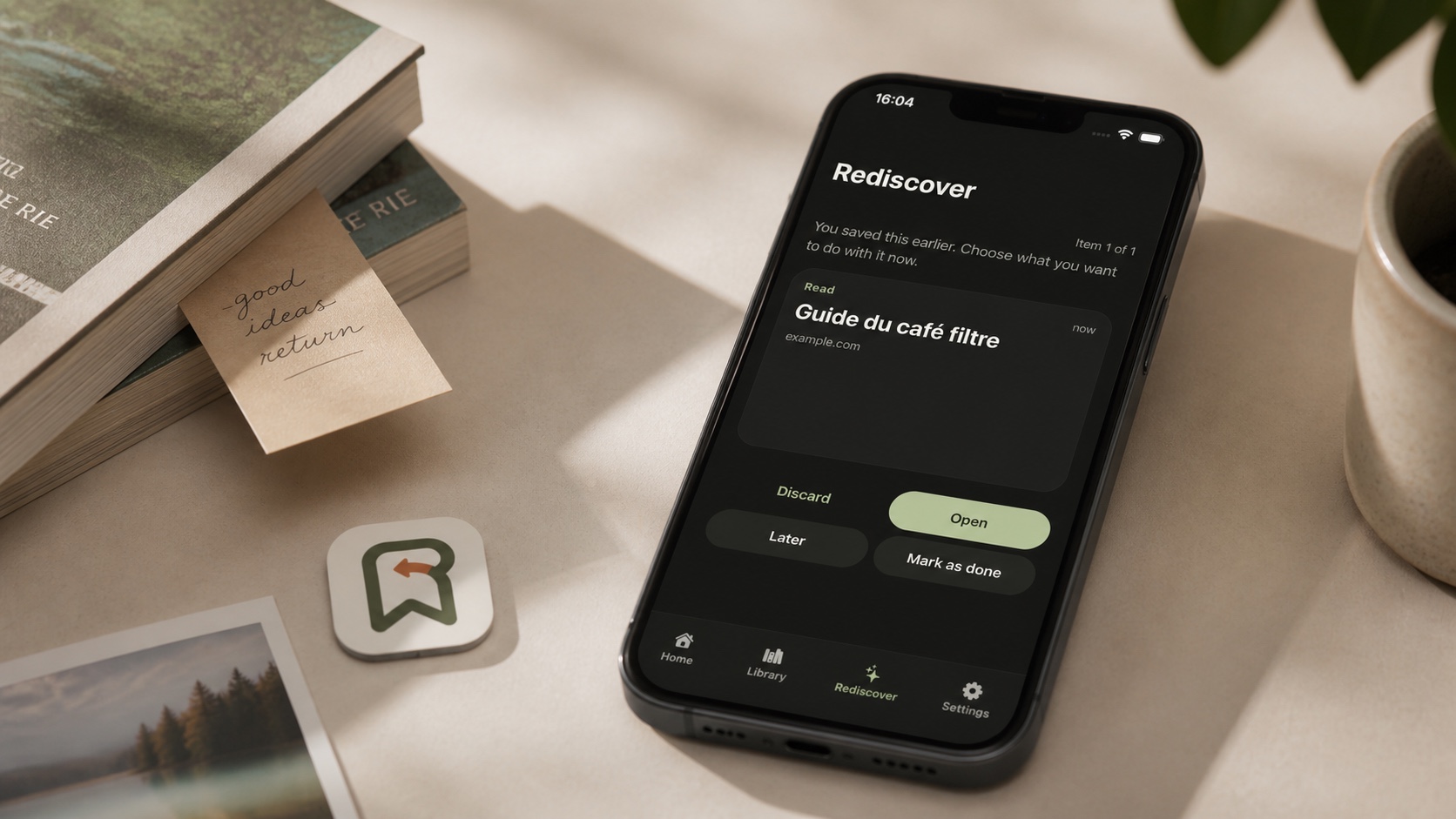
Backori is now available for free on iPhone, iPad and Android. The app saves a link, text or image quickly, then resurfaces older finds before they disappear at the bottom of a bookmark list. Its distinguishing idea is not capture alone, but rediscovery.
Version 1.0 takes a local approach: no account, cloud synchronization, advertising, analytics SDK or artificial intelligence. Saved items remain in the app's private database on the device.
Transparency note: Backori is developed by Renaud Baivier and published under the Les Forgerons brand, which also publishes this website. This article relies on the public store listings and includes the product's current limitations.
The short answer
| Question | Answer |
|---|---|
| Where can Backori be downloaded? | From the App Store for iPhone and iPad, and Google Play for Android. |
| How much does it cost? | Backori 1.0 is free. |
| What can users save? | Links, text and one image shared from a compatible app. |
| Is an account required? | No. V1 works without a Backori account or server. |
| Is data synchronized? | No. It remains on each device without cloud sync. |
| What does Rediscover do? | It presents older saves to open, postpone, complete or discard. |
The bookmark problem is returning, not saving
Browsers, social networks, messengers and video apps all have their own save button. That abundance solves immediate capture while creating separate silos. An article lands in browser bookmarks, a recipe stays inside a social network and an idea becomes a screenshot. Weeks later, finding it requires remembering which app owns it.
Backori brings those items into a deliberately simple library. Users can add a URL or plain text in the app. Through the iOS share sheet or Android sharing menu, Backori accepts a link, text value or image from another compatible app.
Each save receives a short category such as Read, Watch, Try or Buy. The Library then provides local search and category filters. Backori does not attempt to reproduce a full document manager with nested folders, collaborative notes and dozens of properties.
Rediscover is the actual product idea
A conventional reading list assumes the user will remember to return. Backori partially reverses that relationship. Its Rediscover screen selects a short session of older items and asks what should happen now.
An item can be opened, marked as done, postponed or discarded. The app avoids immediately showing the same item again and favors older saves while retaining variety between categories. Sessions remain short so catching up does not become another endless inbox.
This mechanism suits content without a hard deadline: long-form articles, recipes, purchase ideas, films or projects to try. It is less suitable for a train ticket, limited promotion or time-critical task. Backori is neither a calendar nor a task manager.
Local reminders without remote push
Users can enable daily, several-times-a-week or weekly reminders. The phone schedules them locally and uses them to bring a save back into circulation. Backori does not create a remote profile or register with a publisher-operated push service.
That choice reduces transmitted data but remains subject to iOS and Android scheduling. Battery-saving modes, permissions and manufacturer policies may delay delivery. A reminder is a calm invitation to reopen the app, not a minute-perfect alarm.
What local-first means in practice
Links, text, categories, images and preferences live in Backori's private device storage. Images received from another app are copied locally so they remain available after the share operation ends. According to the published policy, Les Forgerons does not receive saved content or activity history.
No account, ads, cross-app tracking or AI makes the data path easier to understand. Backori does not send a link to a remote service to generate an automatic summary or preview. When the user opens it, the device passes it to the relevant browser or external app, which then applies its own privacy rules.
The architecture has an important tradeoff: Backori 1.0 has no backup, export or cross-device synchronization. Removing the app, clearing its data or losing the phone may therefore remove the library unless a broader device backup restores it. Irreplaceable information should not live only in Backori.
A deliberately focused first release
Backori accepts one supported value per sharing operation. Images must arrive from another app because V1 has no image picker in manual Add. Links use a restrained presentation, and the app does not replace a read-later service with article extraction, annotation or web archiving.
Those limits make it unsuitable for a professional knowledge base or shared library. They also preserve a short workflow: share, choose a category, save, and make a decision later.
The app supports English and French, with system, light and dark appearance. Apple's listing requires iOS 16.4 and supports iPhone and iPad. The public Google Play listing provides the Android release.
Who should try Backori?
Backori primarily fits people who save frequently but rarely revisit their lists. It can gather articles to read, films to watch, products to compare and ideas to try without imposing complex organization. People who prefer keeping that collection on their phone may also value the lack of an account.
Users working across several devices, sharing a family library or requiring automatic backup will need a later release or a synchronized service. Local-first is a privacy and simplicity decision here, not a promise of universal access.
Backori is not trying to improve the Save button, but the moment after it. Its first release turns a passive archive into a small set of decisions with a free and private experience. Its most important next step will be preserving that simplicity while adding an explicit backup or export path.

Join the discussion
Comments
Loading comments…