
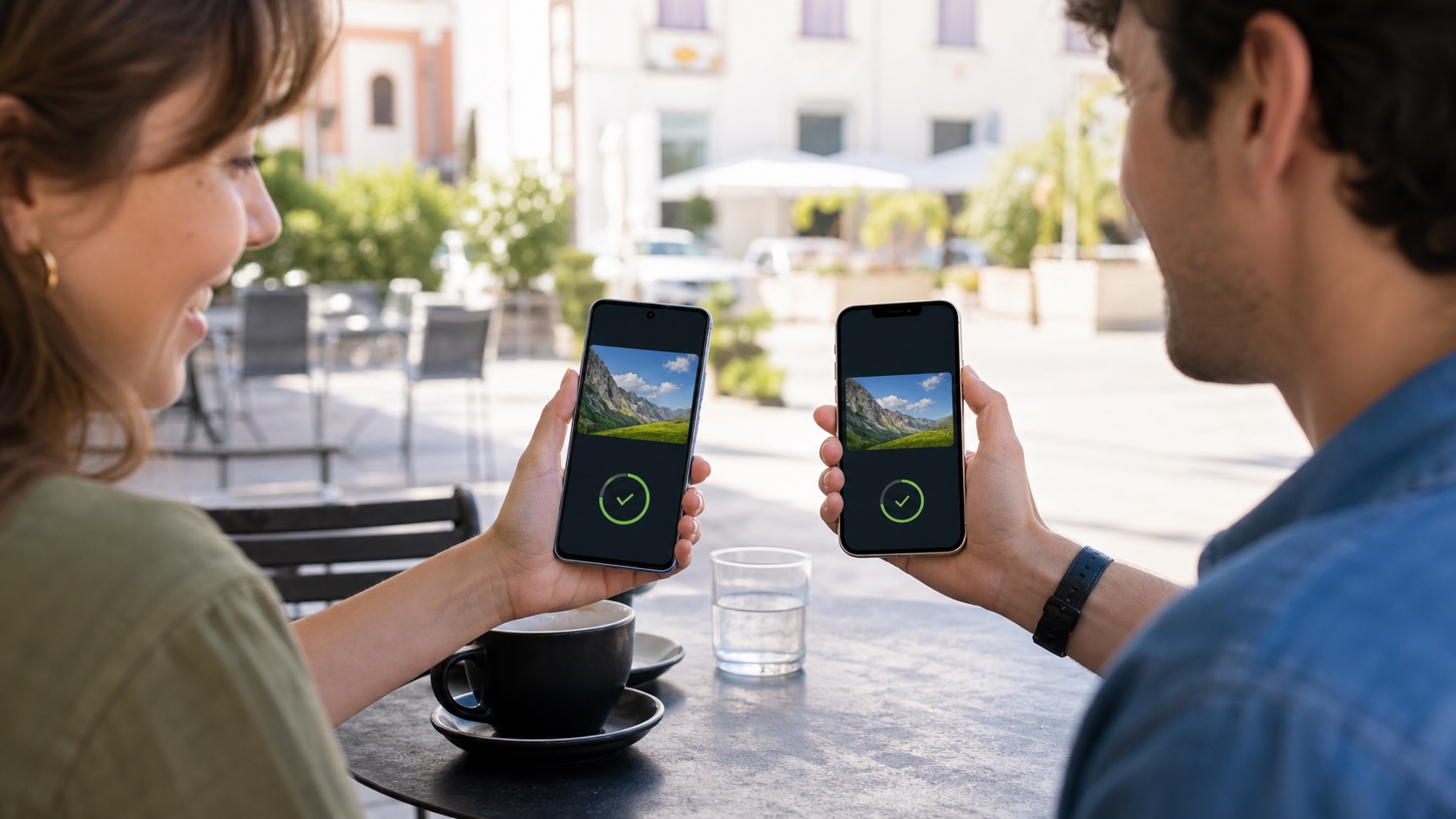
Sending a weekend's photos from an Android phone to a friend's iPhone should no longer require a messaging app, a cloud link or reduced image quality. With the June 2026 Android release, Quick Share can communicate directly with AirDrop on a broader selection of Android phones. Devices appear in their familiar sharing interfaces, and a direct transfer can work without internet access.
The headline needs an important qualification. Direct AirDrop interoperability is not available on every Android phone, and compatibility for sending to an Apple device is not identical to compatibility for receiving from one. Google offers QR-code sharing as a fallback, but that method uses the internet and has different privacy and capacity limits.
The short answer
| Question | Answer |
|---|---|
| Does Quick Share work with AirDrop? | Yes, directly on selected recent Android phones. QR-code sharing covers other supported situations. |
| Does the iPhone need another app? | No. The recipient uses AirDrop or opens the QR-code link in a browser. |
| Does a direct transfer need internet? | No. Devices mainly need to be nearby, unlocked, with Bluetooth and Wi-Fi enabled. |
| Does it work on every Android phone? | No. Google lists Pixels and selected models from Samsung, Oppo, OnePlus, Vivo, Xiaomi, Honor, Transsion and Motorola. |
| Are files compressed? | Local transfer sends the selected file without the routine compression used by many messaging services. |
| Is support identical in both directions? | Not always. The list that can receive directly from AirDrop is narrower than the list that can send to AirDrop. |
Which phones support direct interoperability?
For sending from Android to an iPhone, iPad or Mac, Google's help page lists the Pixel 8a or later and selected Samsung, Oppo, OnePlus, Vivo, Xiaomi, Honor, Transsion and Motorola phones. “Selected” matters: the manufacturer name alone does not guarantee the feature. Model, software version and regional rollout can all affect availability.
For receiving on Android from AirDrop, Google lists the Pixel 9 or later, excluding the Pixel 9a, plus selected phones from the same partner manufacturers. This asymmetry explains why a phone may successfully send a photo to an iPhone but fail to appear when the iPhone owner tries the reverse direction.
The June Pixel Drop specifically expanded supported scenarios to the Pixel 8a and Pixel 9a. Google originally introduced AirDrop interoperability in November 2025 on the Pixel 10 family before broadening it. A system-services update can therefore matter as much as a major Android upgrade.
The most reliable check is practical: open Quick Share, set the Apple device to “Everyone for 10 Minutes,” and see whether it appears, then test the reverse direction. An old product sheet or generic compatibility list may not reflect the rollout currently installed on the phone.
Sending a photo from Android to Apple
The iPhone, iPad or Mac owner first opens AirDrop settings and chooses Everyone for 10 Minutes. This makes the device discoverable to people who are not in their contacts, but it automatically returns to a more restrictive setting.
On Android, select the photos, videos or documents, tap Share and then Quick Share. The compatible Apple device should appear among nearby targets. Once selected, its owner receives an AirDrop notification and accepts the transfer. The file arrives in the location AirDrop normally uses, such as Photos or Downloads depending on its type and the Apple device.
This direct route operates nearby over local radios and can work without mobile data or an internet access point. It is useful for large videos, documents that should not be uploaded to an intermediary service and photos where preserving the original file matters.
Afterwards, return AirDrop reception to “Contacts Only” or “Receiving Off” if the ten-minute period has not ended. In a station, conference or another crowded place, the same visibility window can invite unwanted requests.
Sending from AirDrop to Android
On a compatible Android phone, set Quick Share to receive from nearby people. Keep the screen unlocked and the phone visible. From the iPhone, iPad or Mac, select the file, open Share and choose AirDrop. The Android phone then appears as an available recipient.
The Android owner accepts the request. Received files are available from the notification, the Files app or Quick Share's download location. With a large video or batch, wait for completion before locking either device or moving them apart.
If the Android phone does not appear even though it can send in the other direction, that is not necessarily a fault. It may belong to the broader group that can send to AirDrop but not yet receive directly from it.
QR codes provide the fallback
When direct AirDrop interoperability is unavailable, Quick Share can create a QR code. The Apple device owner scans it with the camera, opens the offered page and downloads the files through the browser. Several people can scan the same code, making it useful for distributing an album at a meeting or event.
This is not AirDrop under another name. Both devices need internet access, and the files are temporarily hosted on Google servers. Google states that they are end-to-end encrypted, retained for 24 hours and limited to 10 GB in a 24-hour period, with up to 1,000 files per session. One share can serve as many as 20 Apple recipients and does not use the sender's personal Google Drive quota.
The QR route is convenient when direct hardware support is missing, but it introduces remote infrastructure and a period of availability. For confidential documents, direct local transfer or an approved enterprise channel is preferable. Do not publish a screenshot of the QR code: anyone who obtains it while valid may attempt to open the share.
Security and privacy
Google says it designed the interoperability with built-in safeguards and had the implementation independently tested. Recipient approval, temporary visibility and physical proximity reduce silent transfers. They do not remove the need for attention: check the displayed device name and file preview before accepting anything.
“Everyone for 10 Minutes” is the main compromise in the AirDrop workflow. It solves discovery between people who have not exchanged contact details, while briefly exposing the device to strangers nearby. Open that window only when ready to transfer and keep both screens in view.
In a workplace, a cloud-free direct transfer does not automatically make a file authorized to leave the organization. Classification, data-protection and device-management policies still apply. Technical convenience is not permission to share.
What to check when a device is missing
Common causes are straightforward: the devices are too far apart, a screen is locked, Bluetooth or Wi-Fi is disabled, visibility has expired or an update has not arrived. Bring the phones close together, unlock them and restart the discovery window on each side.
Quick Share may briefly disconnect Wi-Fi during some direct exchanges and restore it after the feature is closed. A short interruption does not always indicate a failure. A VPN, work profile or sharing restriction can nevertheless interfere with discovery or transfer.
If the model does not support the direct bridge, repeated restarts will not add it. The QR code, a cable or a deliberately chosen storage service will be more effective. Before sending a large batch, also check the recipient's available storage to avoid failing near completion.
Checklist for an important transfer
- update Android, Google system services and the Apple device;
- verify exact model support for the intended direction;
- enable Bluetooth and Wi-Fi, then unlock both devices;
- expose “Everyone” visibility only for the necessary time;
- check the recipient name and preview before accepting;
- prefer direct transfer for sensitive files;
- remember that QR sharing uses internet access and temporary hosting;
- inspect several received files before deleting originals;
- close the visibility settings after the exchange;
- follow organizational sharing rules on a managed device.
What this opening really changes
Quick Share and AirDrop have not merged into one service. They now have a bridge that removes a highly visible point of friction between their ecosystems. For families and groups of friends using different phones, the gain is immediate: fewer links, less compression and fewer steps to deliver the original file.
Compatibility remains the caveat. Google's announcement covers more devices, not every Android device, and send and receive capabilities still differ. Combining direct local transfer with the QR fallback nevertheless solves far more situations than the initial launch, without requiring the Apple user to install another application.

Join the discussion
Comments
Loading comments…