
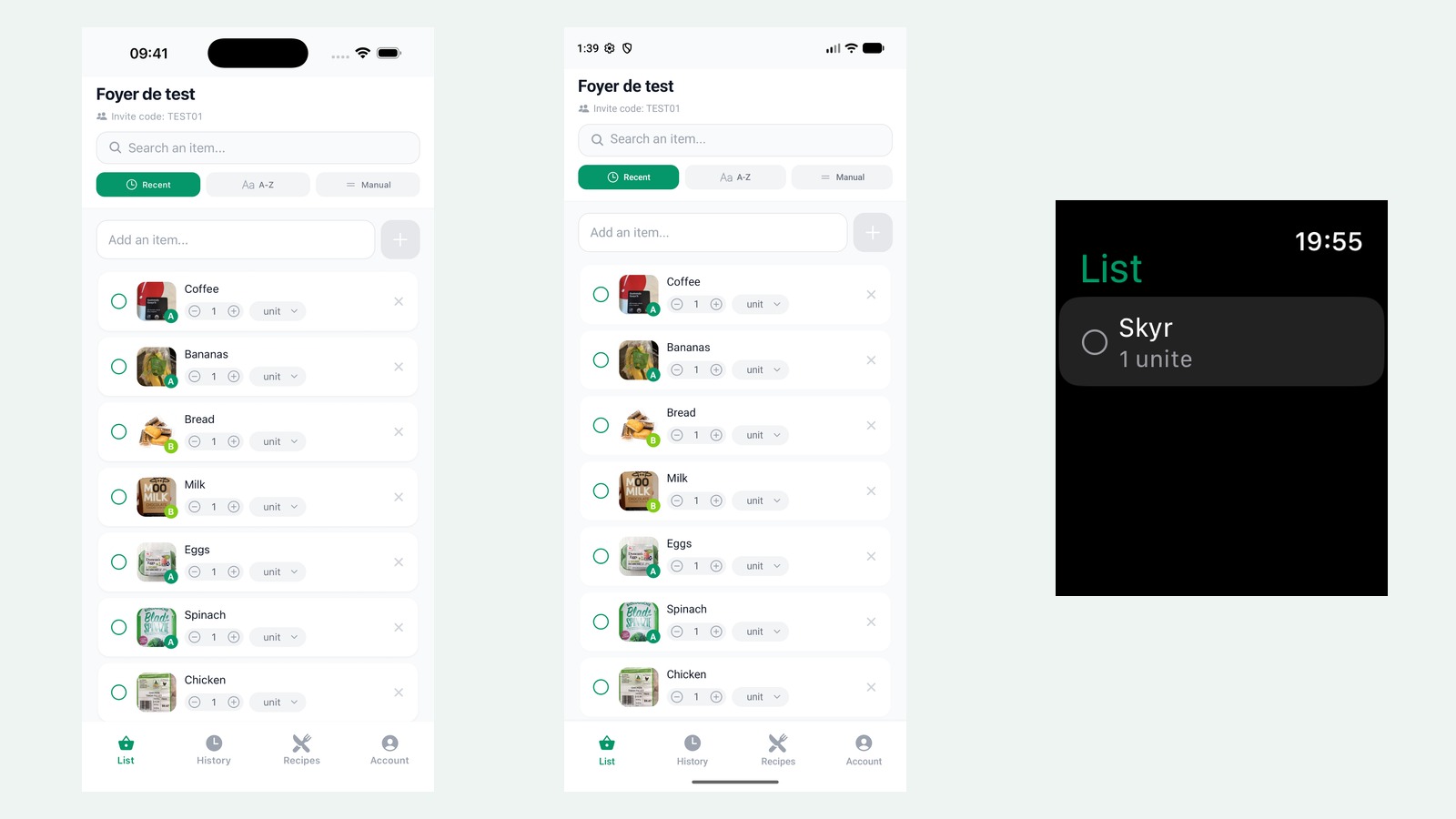
The apartment's shopping list, the family list and a list for a trip with friends should not all end up in the same basket. Miam 1.11.0, publicly released on October 7, lets users belong to multiple households and switch between them from their account. It addresses a practical need: sharing organisation without mixing every group together.
The application retains its core: a shared shopping list, recipes and history. The change makes it possible to use these spaces across multiple contexts.
Product disclosure
Miam is developed and published by Les Forgerons, which also publishes this website. This promotional article draws on the public release and features checked in the project; it is not an independent review. Screenshots illustrate list interfaces using demonstration households and products.
Multiple groups, one active household
The active household establishes the context of the list you are viewing. Our recommendation is to check its name before adding products, especially if you use Miam for both your own home and a temporary group.
Imagine somebody buying personal groceries while helping a parent. The lists remain distinct spaces. Switching households brings back the relevant context without turning every product into a message that must be sent manually.
The same reasoning applies to a shared apartment or a trip. A temporary group need not change the main household's habits. The value is not the number of groups, but clarity about where an action belongs.
Sharing needs a few simple conventions
Agree with other members on how to record quantities and who checks off purchased products. An application can synchronise items; it cannot guess that “milk” means a particular brand or two bottles.
Our suggestion is to start with a short list and explicit labels. Habits are easier to understand when the first additions support an actual shopping trip rather than a theoretical catalogue.
History and recipes can complement that organisation. Their value depends on what the group actually reuses. You do not need to adopt every feature on day one.
The watch focuses on the in-store gesture
Apple Watch and Wear OS interfaces support viewing the list and checking items. Their scope is narrower than the phone's: they do not replace all account, recipe or household management.

Actual Apple Watch list interface. The screen illustrates viewing and checking items, not the household selector.
When your hands are occupied, that shortcut can make shopping more convenient. However, a visible interface should not be confused with completely autonomous offline operation. Session state, connectivity and data refresh still need checking; the watch does not provide a guaranteed second-by-second feed.
Check the context before shared shopping
Before leaving, confirm the active household and important products on the phone. In the shop, check off what was actually purchased, then verify the result if connectivity was unreliable.
This routine mainly prevents human mistakes: the wrong list, ambiguous quantities and forgotten additions. Miam can then serve as a common workspace that reduces repetitive messages without pretending to decide what everyone should buy.
After a temporary group has served its purpose, take a moment to review the households you still use. Keeping the everyday context obvious matters more than collecting additional lists.



Join the discussion
Comments
Loading comments…